Miscellaneous
How to Use the Immutable Passport to Play Medieval Empires?
Medieval Empires has partnered with Immutable to enhance the onboarding experience for new players! The Immutable Passport is a non-custodial wallet that offers a password-less sign-in and automated wallet creation. Follow this step-by-step guide to get started.
How to create an account with the Immutable Passport?
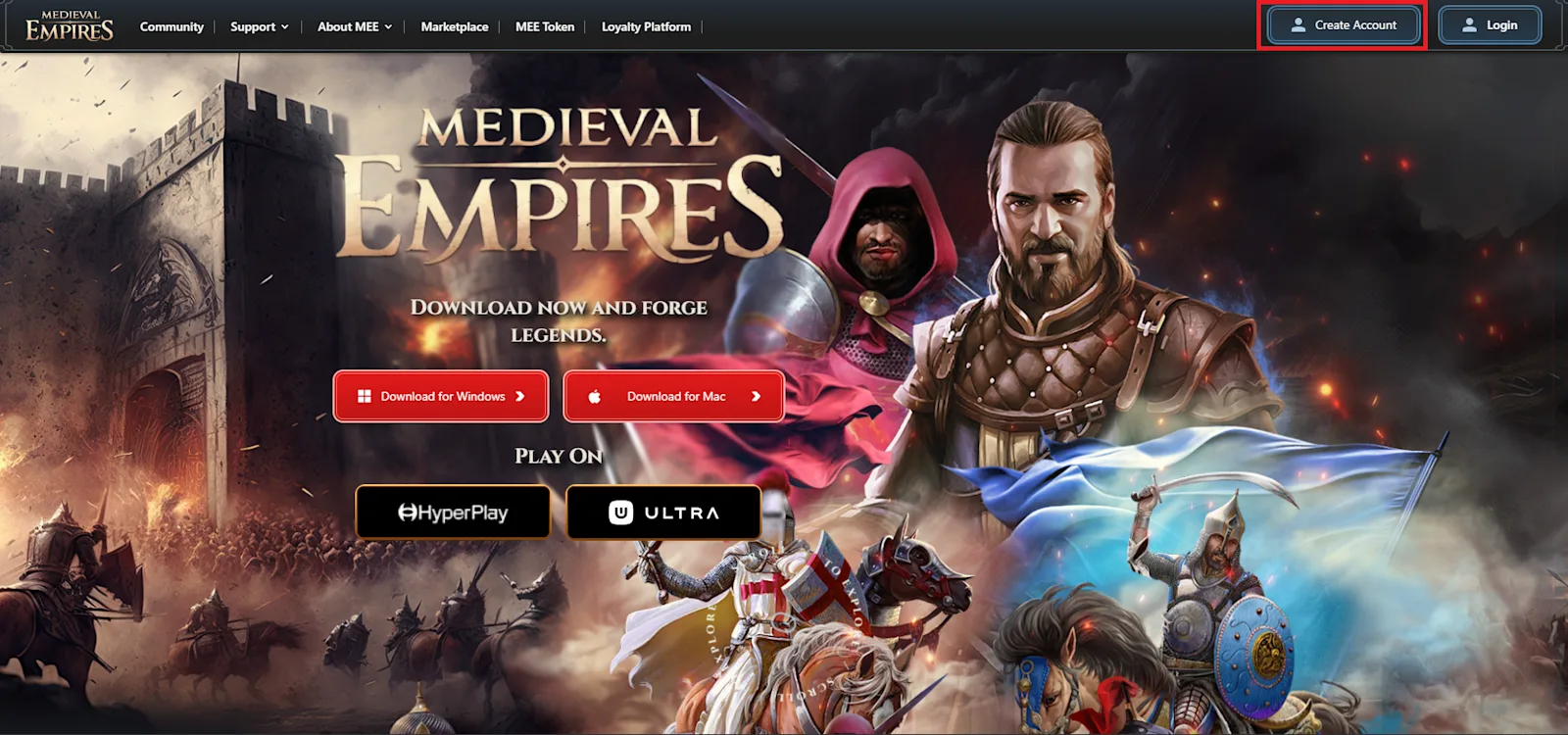
Step 1: Click on 'Create Account’
To begin your journey in Medieval Empires, head over to our website: Medieval Empires. Look for the Create Account button in the top-right corner and click on it.
Step 2: Choose your Sign-up Method on the Immutable Passport Pop-up
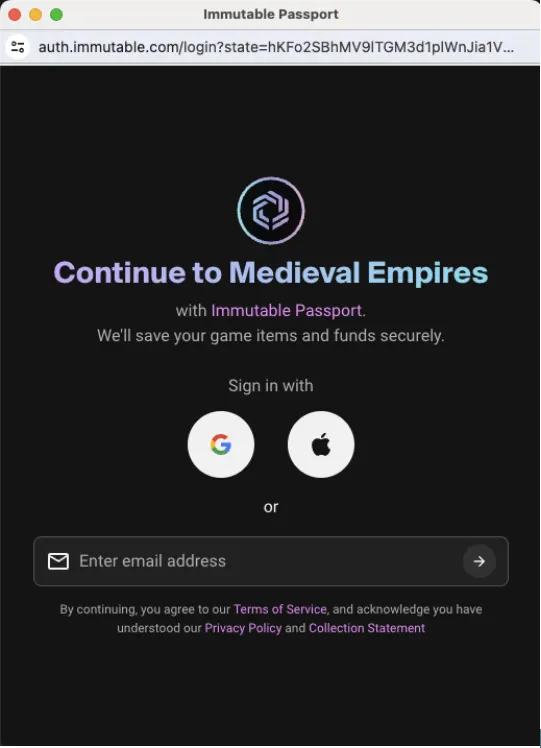
After clicking the Create Account button, a pop-up window will appear on your browser. This is the Immutable Passport interface. You can sign up using your Google Account, Apply ID or your email address.
Step 3: Verify Your Email
Once you have selected your sign-up method, you will have to complete the verification process. For instance, if you choose to use your email, you will receive a verification code sent by Immutable Passport on behalf of Medieval Empires.
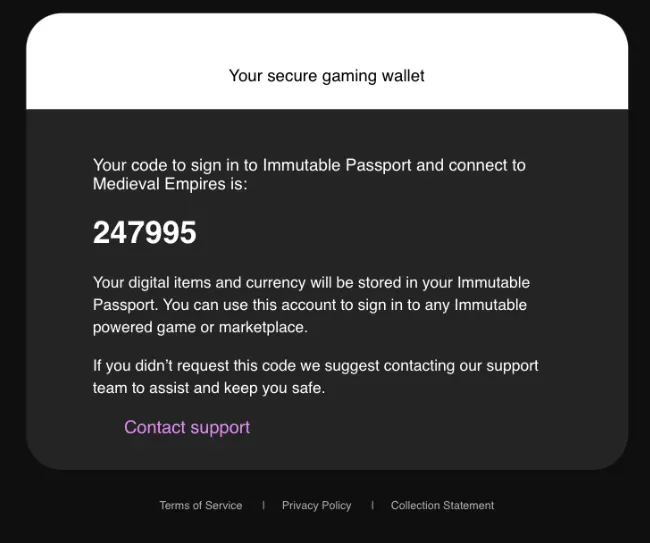
Step 4: Enter the Verification Code
Fill in the code received via email into the Immutable Passport pop-up window. If the verification code is correct, the pop-up window will close automatically, and you will be redirected to the Account page on the Medieval Empires website. Once you download the game on your PC/Mac device, you can login to the game using the same IMX wallet.
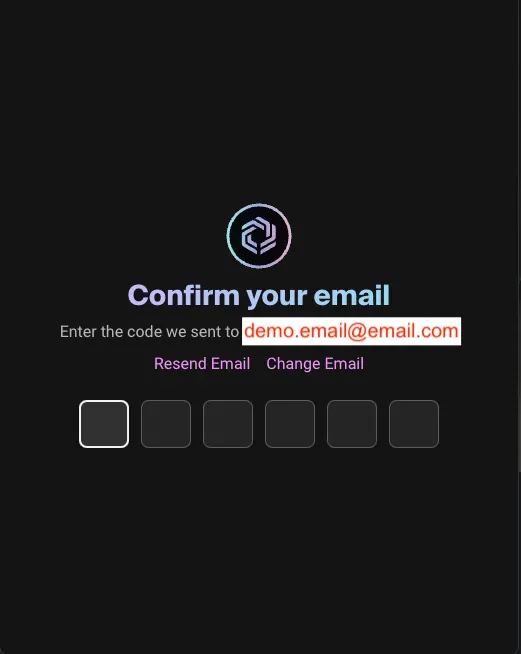
Important Tips!
1 - Make sure that pop-ups are allowed in your browser settings
2 - Check your spam folder if you don't see the verification email in your inbox
3 - If you already have an IMX wallet, you can simply sign up using your existing IMX Wallet
Latest updates

Miscellaneous
How Our Warriors Are Forging the Best Crypto Strategy Game, Medieval Empires!
September 17, 2025

Gameplay updates
Medieval Empires Unveils "Dawn of Empires: Kayi & Crusaders"
March 7, 2025

Updates
Season 2 of the Medieval Empires Loyalty Program is LIVE! Here's Everything You Need to Know!
November 17, 2024